
Instagram Caption Generator
Upload the photo you're posting and get 5 Instagram captions with hashtags, written for that photo. 20 free generations a day, no sign-up.
Instagram Captions
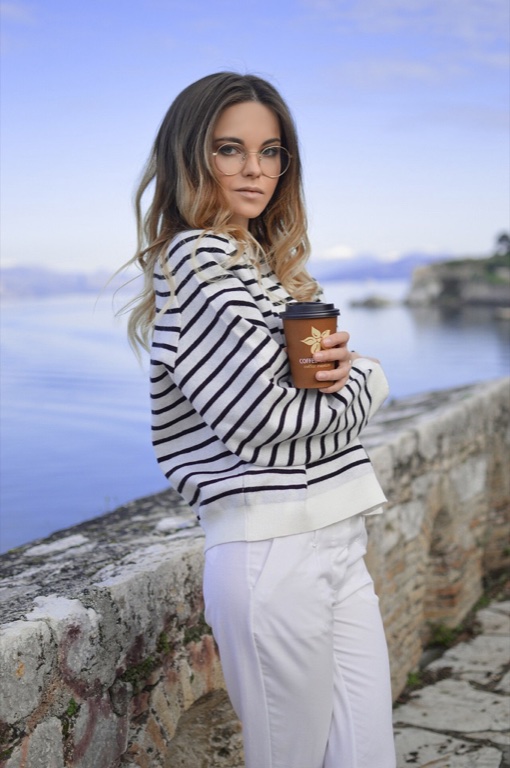
ExampleCoffee in hand, the lake holding its breath. A soft morning pause by the old stone wall ☕️ #Lakeside #CoffeeWalk #StripedSweater #MorningLight A little sea breeze, a warm cup, and nowhere else to be. The blue hour feels gentle here. #Waterfront #CoffeeTime #CoastalStyle #DreamyMood Somewhere between the quiet water and the first sip, the whole morning turned soft ✨ #LakesideWalk #MorningCoffee #SoftLight #SlowMorning Stripes, still water, and coffee warming my hands beneath an endless sky. #WaterfrontView #CoffeeLover #MaritimeStyle #BlueHour The prettiest kind of pause is the one with a view. Just me, a paper cup, and calm water stretching into the distance. #LakesideCoffee #StoneWall #QuietMoments #CoastalWalk
What this Instagram caption generator does
This Instagram caption generator looks at the photo you are about to post and writes 5 captions for it. Each caption aims to pick up something visible, such as the place, the light, the mood or a small detail, so it reads as written for this photo and not for any photo.
Every caption opens with a hook, because the first line is what shows before "more" in the feed. You choose the tone, the length and how many hashtags to add. An optional box takes one sentence about the post, like the occasion or the city, and each caption uses it as context.
Captions aim to read as the person posting, in first person or with no pronoun at all. You can get them in ten languages, with hashtags in the same language. The result is plain text in an editable box, ready to copy.
Made for
- Personal accounts
- Travel posts
- Small shops
- Creators
- Photographers
How to use the Instagram caption generator
Three steps from photo to a caption you can paste.
- 1
Add the photo
Upload a JPG, PNG, WebP or HEIC file, paste it with Ctrl+V or Cmd+V, or paste an image link. The tool takes one image per run, and large photos are shrunk in your browser before they are sent.
- 2
Pick tone, length and hashtags
Choose Aesthetic, Funny, Confident, Inspirational or Business, then a One-liner, Medium or Long caption, then no hashtags, 3–5 or 10–15. Add one sentence about the post if you like, and set the output language.
- 3
Generate, edit and copy
Press Generate Captions to get 5 options, each with a hook in the first line. Edit any of them in the box, then press Copy and paste it into Instagram. Nothing is saved once you leave the page.
Instagram caption generator tips before you start
A few inputs change what the five captions pick up.
- Upload the exact photo you will post, so the captions match what your followers see.
- Add one sentence when the photo can't say it alone: the occasion, the city or the event. Every caption then uses that line as context for what it writes.
- Pick Business for a shop or brand account; its captions end with a light call to action such as save, comment or visit.
- Use a One-liner for quick posts and Long for story-style posts of 3–5 sentences.
- Start with 3–5 hashtags, and choose 10–15 only when you want a wider spread.
- Search each hashtag in Instagram before you post, and drop any that show unrelated content.
- Try a photo with one clear subject or setting; a busy frame gives the captions less to hold on to.
- Read the captions against the photo and fix names, places and details before you copy: this is AI output.
More tools from Img to Prompt
- Image Caption GeneratorUse this image caption generator to get 5 captions for your photo, in the tone and platform you pick. 20 free generations a day, no sign-up.
- Alt Text GeneratorUpload an image and get alt text that screen readers and search engines understand. 20 free generations a day, no sign-up.
- Describe This OutfitDescribe this outfit from a photo, piece by piece: colors, fabrics, fit and overall style. 20 free generations a day, no sign-up.
- Image to PromptImage to prompt in one step: upload a picture and get text for Midjourney, Stable Diffusion, Flux, Nano Banana or GPT Image. 20 free generations a day, no sign-up.