
Image to Prompt
Image to prompt in one step: upload a picture and get text for Midjourney, Stable Diffusion, Flux, Nano Banana or GPT Image. 20 free generations a day, no sign-up.
Generated Prompt
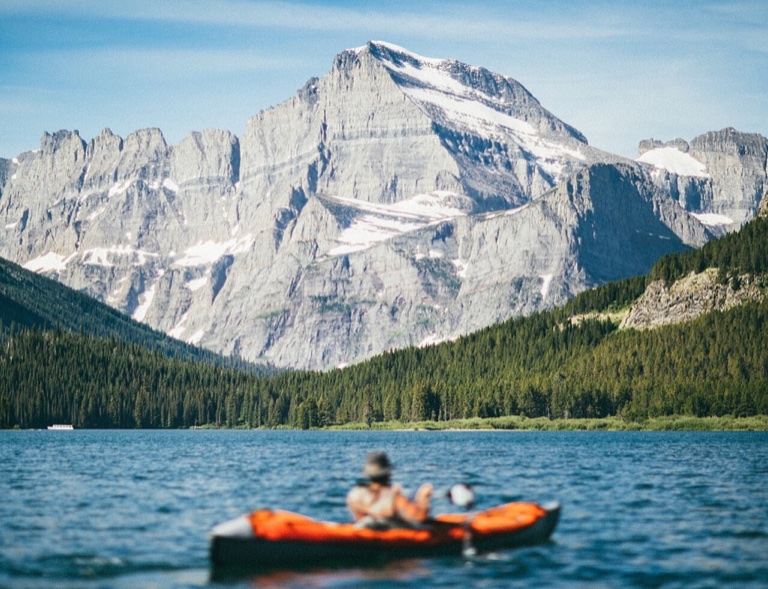
ExampleA broad alpine lake fills the foreground, its rippling blue water crossed by a small orange kayak carrying a softly out-of-focus seated paddler near the bottom center. Across the lake, a dense dark-green conifer forest forms a low shoreline beneath towering pale gray, snow-streaked limestone mountains, dominated by a high central peak under a clear, lightly clouded blue sky. Wide landscape composition from a low viewpoint at water level, with the distant mountains sharply detailed and the kayak intentionally blurred. Bright natural midday light, cool blues and greens, serene documentary travel photography.
How to do image to prompt in three steps
Three steps, one image per run.
- 1
Add the image
Upload a JPG, PNG, WebP or HEIC file, paste it with Ctrl+V or Cmd+V, or switch to the Image URL tab and paste a link. Large photos are fine: the browser shrinks them before sending.
- 2
Pick the AI model and detail
Choose General, Midjourney, Stable Diffusion, Flux, Nano Banana or GPT Image, then Concise, Detailed or Very detailed. The output language dropdown has 10 languages.
- 3
Copy it or send it on
Edit the text in the box if you like, then press Copy. Generate this image opens our sister site in a new tab and copies the prompt, so you paste it there. Regenerate gives a new answer with the current options. The text is gone when you leave the page, so copy what you want to keep.
Image to prompt formats by AI model
Each model card changes the shape of the prompt, not just the wording.
| AI model | What you get | Visible text in the image |
|---|---|---|
| General | One natural-language paragraph that works in any generator | Described in the paragraph |
| Midjourney | One comma-separated line ending in --ar with the image's aspect ratio, --v 7, and --stylize 250 or --style raw | Described in the line |
| Stable Diffusion | Weighted tags on a Prompt: line, plus a Negative prompt: line | Described in the tags |
| Flux | Plain sentences, most important first, no weights or parameters | Quoted exactly |
| Nano Banana | A conversational brief, as if you were instructing an artist | Quoted exactly |
| GPT Image | A paragraph that opens with the kind of image and ends with the aspect ratio | Quoted exactly |
Detail sets the length for every model: about 25-40 words, 60-100 words or 150-220 words.
What people use an image prompt generator for
Rebuild a reference look
Turn a photo or render you like into a prompt that names the subject, lighting, composition and palette, then generate your own take on it. It works for photos, illustrations, 3D renders and paintings alike.
Midjourney with parameters
Get a single line with the aspect ratio already set from your image, ready to paste after /imagine.
Stable Diffusion tags
Start from weighted tags and a negative prompt instead of an empty box, then adjust the weights to taste. The weights go on the key traits only.
Prompts from lost originals
Recover a usable prompt for AI art you made earlier when the original text is gone. The result is a fresh description, so compare it with your image and edit it.
Posters and signs with words
For Flux, Nano Banana and GPT Image, any text visible in the picture is quoted, so the generator gets the wording to render.
Prompts in your own language
Pick one of 10 output languages. Midjourney parameters, weights and the Prompt: and Negative prompt: labels stay as they are.
More tools from Img to Prompt
- Image DescriberUse this image describer to turn any picture into a clear written description, short or detailed. 20 free generations a day, no sign-up.
- AI Image AnalyzerThis AI image analyzer reads your image for objects, text, colors, composition and mood. 20 free generations a day, no sign-up.
- Describe This OutfitDescribe this outfit from a photo, piece by piece: colors, fabrics, fit and overall style. 20 free generations a day, no sign-up.
- Describe This CharacterDescribe this character from an anime, game or OC picture: a sheet, a written description or an art prompt. 20 free generations a day, no sign-up.
- Alt Text GeneratorUpload an image and get alt text that screen readers and search engines understand. 20 free generations a day, no sign-up.
- Image Caption GeneratorUse this image caption generator to get 5 captions for your photo, in the tone and platform you pick. 20 free generations a day, no sign-up.
- Instagram Caption GeneratorUpload the photo you're posting and get 5 Instagram captions with hashtags, written for that photo. 20 free generations a day, no sign-up.